The source is a real 2-minute segment of Big Buck Bunny, an animated short film ((C) 2008, Blender Foundation, www.bigbuckbunny.org, CC BY 3.0). Animation compresses differently from live-action footage: flatter color fields and cleaner edges, less of the fine grain and noise a camera sensor captures, so it's real evidence of how results vary by content type rather than a second copy of the same test.
This result is honestly lower than the live-action test's 69%: the source was already encoded at a lower bitrate relative to its resolution, leaving less room to shrink. That difference is the point of measuring two real, different sources instead of one.
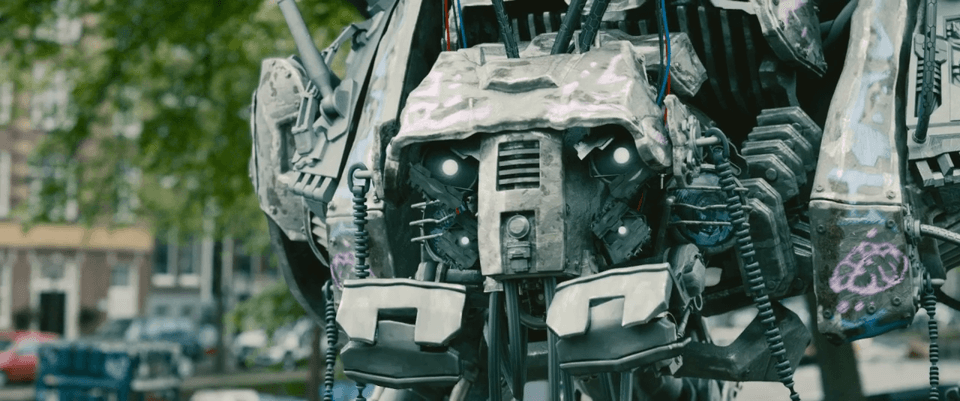
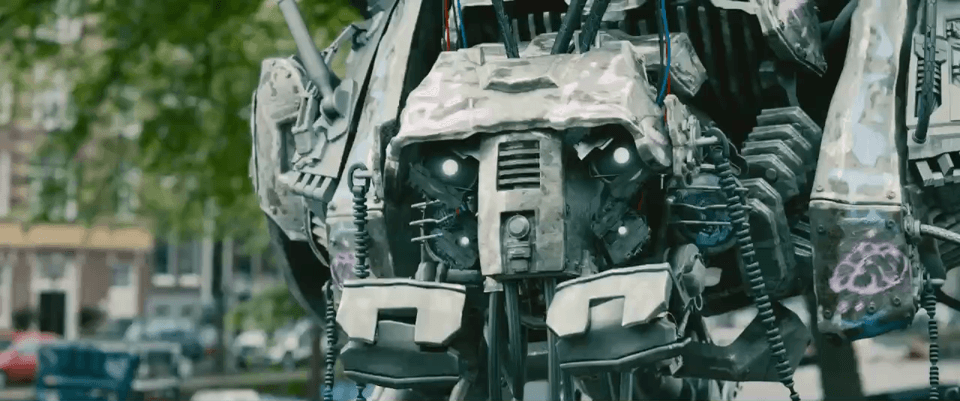
Same timestamp, both frames, extracted directly from the source and output files.
- Environment
- MacBook Pro (Apple M1 Pro), macOS 26.5.2
- QuickCompress
- Pre-release build (v1.0.0, unreleased)
- Encoder
- Apple's VideoToolbox hardware encoder
- Source
- 1920x1080, 120.0 seconds (2:00), 109.2 MB
- Source codecs
- H.264 video (~6.8 Mbps), AAC audio (440 kbps)
A real 2-minute segment of an animated short film. It runs the real production probing and planning code, then the exact bundled FFmpeg sidecar QuickCompress ships, so the result reflects the app itself, not a simulation of it. Every number on this page comes from a test you can run yourself:
QC_REAL_SOURCE=fixtures/real-benchmarks/real_animation_clip.mp4 \
  cargo test --test real_world_benchmark measures_the_smaller_strategy -- --ignored --nocapture
Source video: (C) 2008, Blender Foundation, www.bigbuckbunny.org, CC BY 3.0 (https://www.bigbuckbunny.org/)
Results vary by source video: motion, resolution, starting bitrate, and Mac model all affect how much a specific file shrinks and how long it takes. Treat this as one measured data point, not a universal claim.
See the live-action version of this test in the video compression benchmark, or how QuickCompress hits an exact file size in the target-size accuracy test.